> ## Documentation Index
> Fetch the complete documentation index at: https://docs.leapx-hub.com/llms.txt
> Use this file to discover all available pages before exploring further.
# Claude Code plugin (VS Code)
> Installation and configuration guide for Claude Code for VS Code extension
## Step 1: Install or Update Claude Code Extension
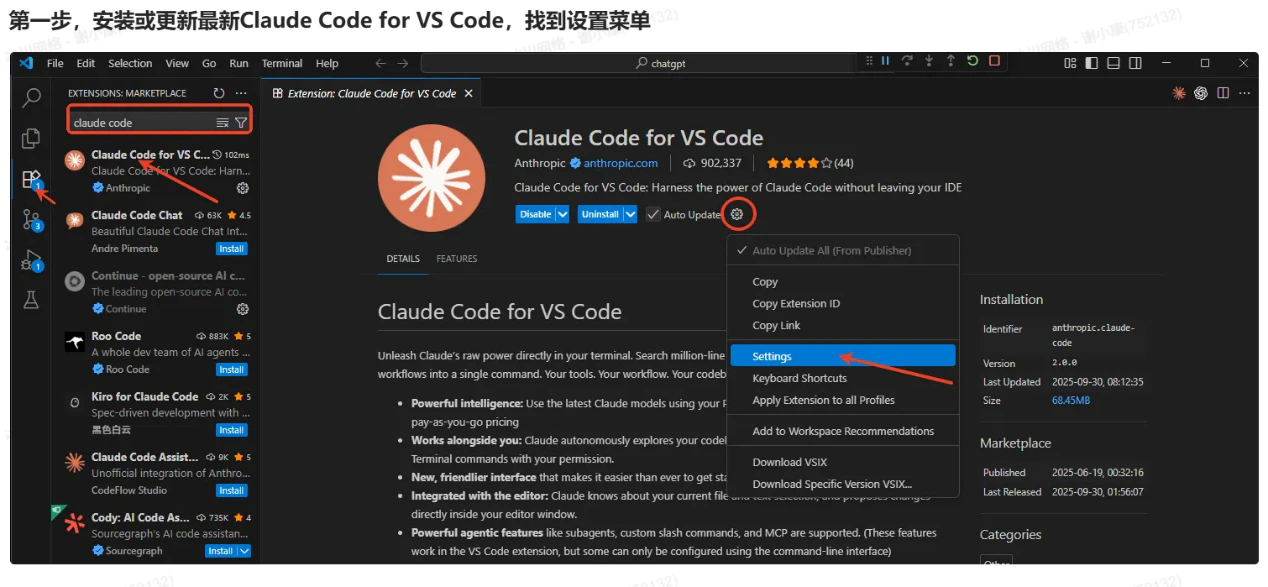
1. Open VS Code editor, go to the left "Extensions" panel (Shortcut: Ctrl+Shift+X).
2. Type "Claude Code for VS Code" in the search box, find the plugin published by Anthropic (ID: "anthropic.claude-code").
3. Core features: Supports latest Claude models, direct terminal calls, codebase analysis, sub-agents/custom slash commands, etc. Some advanced configurations need to be set via command line.
 ## Step 2: Configure settings.json
### 2.1 Open Configuration File
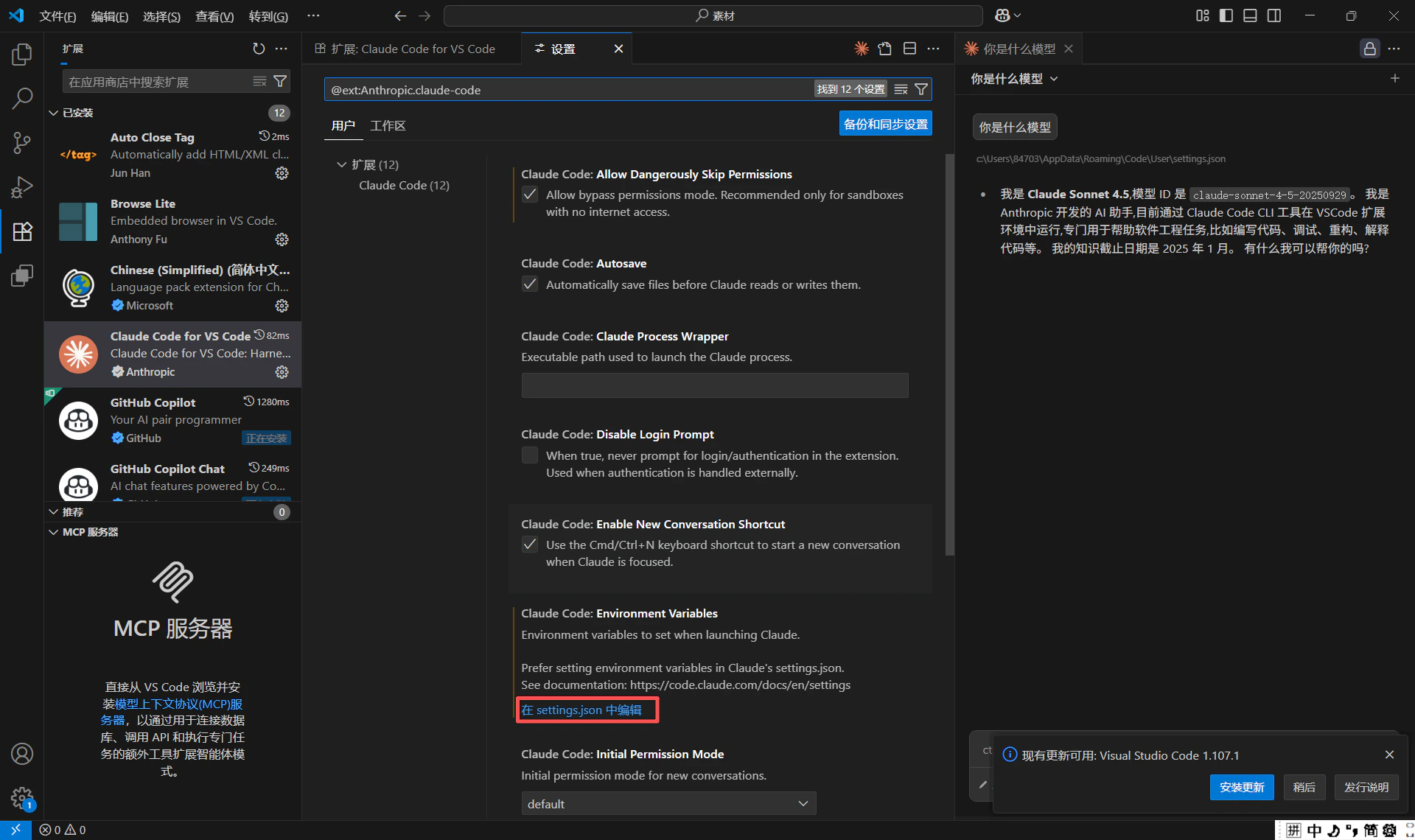
1. Click the "Settings" icon in the bottom left of VS Code (or use Ctrl+,), search for "@ext:Anthropic.claude-code" to filter plugin settings.
2. Find "Claude-code: Environment Variables" option, click "Edit in settings.json" on the right.
## Step 2: Configure settings.json
### 2.1 Open Configuration File
1. Click the "Settings" icon in the bottom left of VS Code (or use Ctrl+,), search for "@ext:Anthropic.claude-code" to filter plugin settings.
2. Find "Claude-code: Environment Variables" option, click "Edit in settings.json" on the right.
 ### 2.2 Add Core Configuration
Add the following configuration to settings.json (modify model version and display location as needed):
```jsonc theme={null}
{
"claudeCode.preferredLocation": "panel",
"claudeCode.allowDangerouslySkipPermissions": true,
"claudeCode.selectedModel": "claude-sonnet-4-5-20250929",
"claudeCode.environmentVariables": [
{
"name": "ANTHROPIC_BASE_URL",
"value": "https://api.leapx-hub.com"
},
{
"name": "ANTHROPIC_AUTH_TOKEN",
"value": "sk-xxxxx" // 替换为你的API密钥
}
]
}
```
### 2.2 Add Core Configuration
Add the following configuration to settings.json (modify model version and display location as needed):
```jsonc theme={null}
{
"claudeCode.preferredLocation": "panel",
"claudeCode.allowDangerouslySkipPermissions": true,
"claudeCode.selectedModel": "claude-sonnet-4-5-20250929",
"claudeCode.environmentVariables": [
{
"name": "ANTHROPIC_BASE_URL",
"value": "https://api.leapx-hub.com"
},
{
"name": "ANTHROPIC_AUTH_TOKEN",
"value": "sk-xxxxx" // 替换为你的API密钥
}
]
}
```