> ## Documentation Index
> Fetch the complete documentation index at: https://docs.leapx-hub.com/llms.txt
> Use this file to discover all available pages before exploring further.
# Dify
> Dify Platform Integration Guide with LeapX API
## Introduction
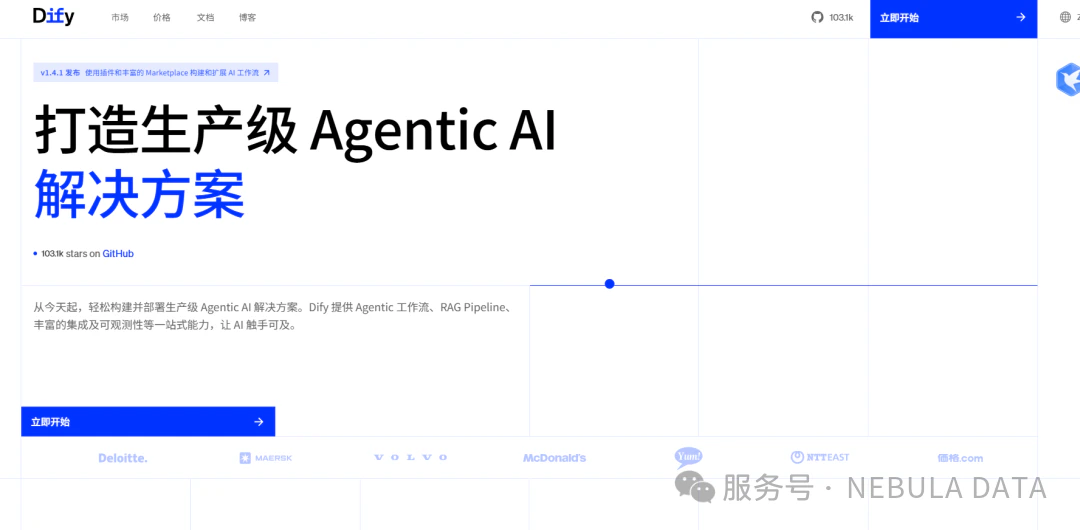
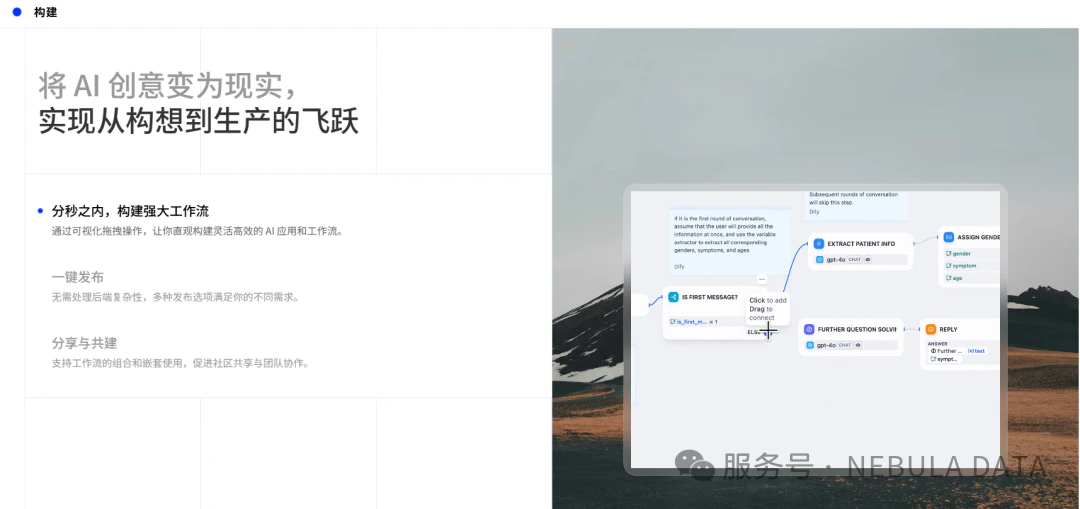
Dify is a "visual + plugin-based" AI application building platform. Even with zero coding experience, you can easily use large language models to quickly build custom AI tools (such as chatbots, text processing tools, etc.), making it accessible for beginners!
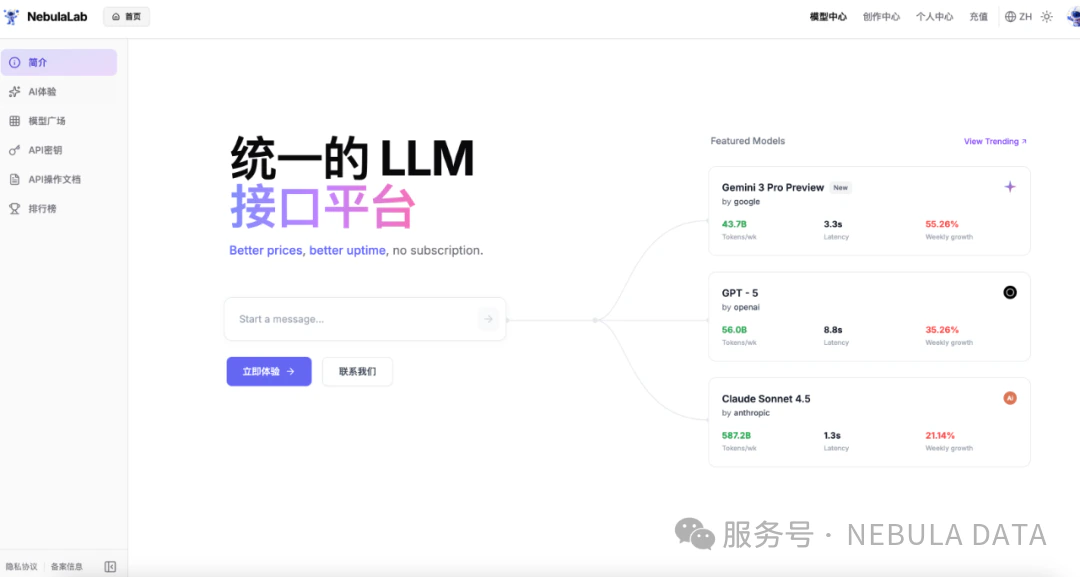
By integrating **LeapX API**, you can use large model services in Dify at a cost that's only 1/5 or even lower than official prices, with almost the same performance. High-frequency users can save significantly!
 ## Integration Steps
### Step 1: Prepare Third-Party API Account
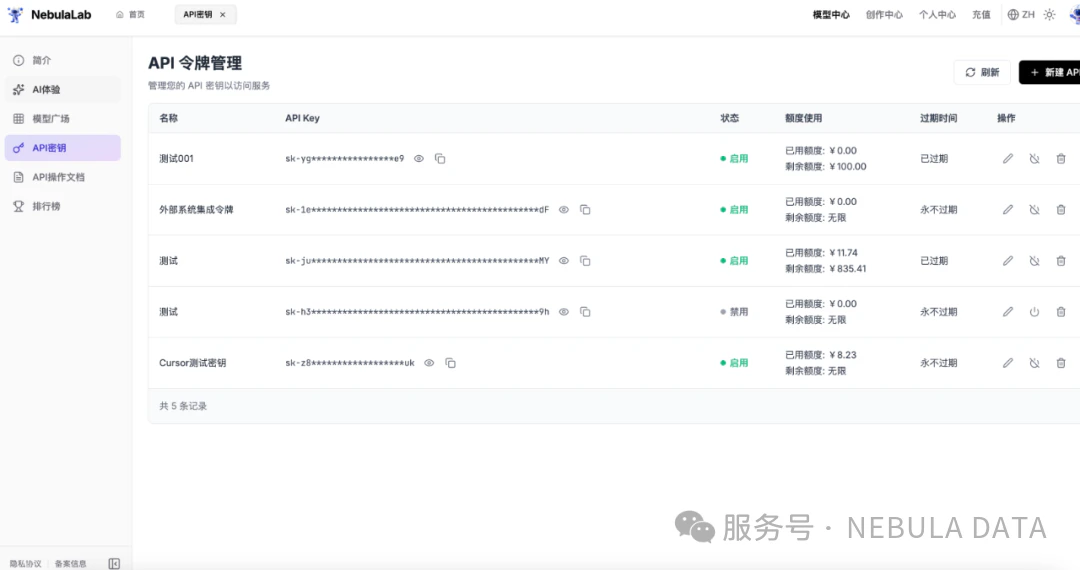
First, register a LeapX API service account:
👉 [https://leapx-hub.com](https://leapx-hub.com)
## Integration Steps
### Step 1: Prepare Third-Party API Account
First, register a LeapX API service account:
👉 [https://leapx-hub.com](https://leapx-hub.com)
 ### Step 2: Access Dify Model Provider Settings
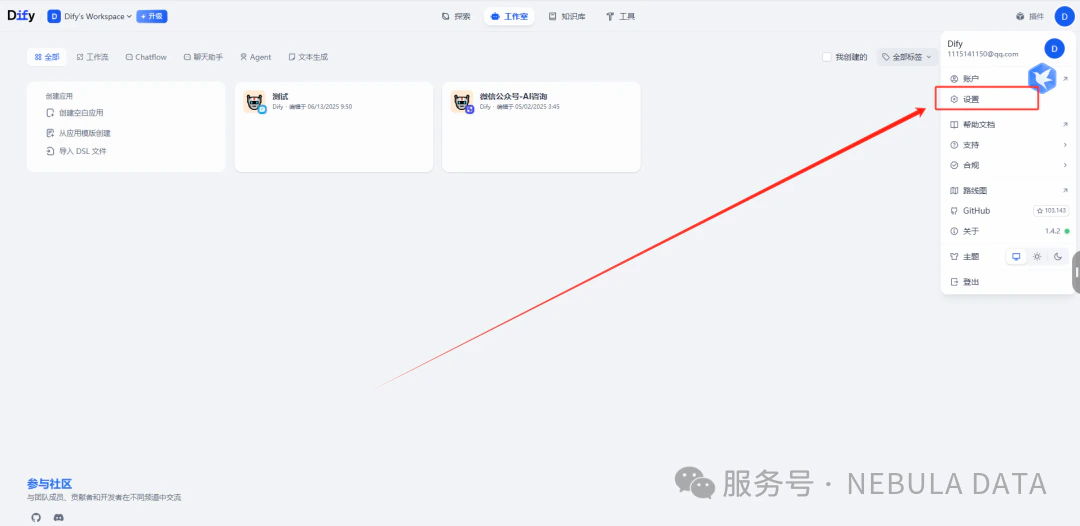
1. Open the Dify platform and log in, then navigate to the "Settings" page
2. Select "Model Provider" from the left menu to enter the plugin installation interface
### Step 2: Access Dify Model Provider Settings
1. Open the Dify platform and log in, then navigate to the "Settings" page
2. Select "Model Provider" from the left menu to enter the plugin installation interface
 ### Step 3: Install Compatible Plugin
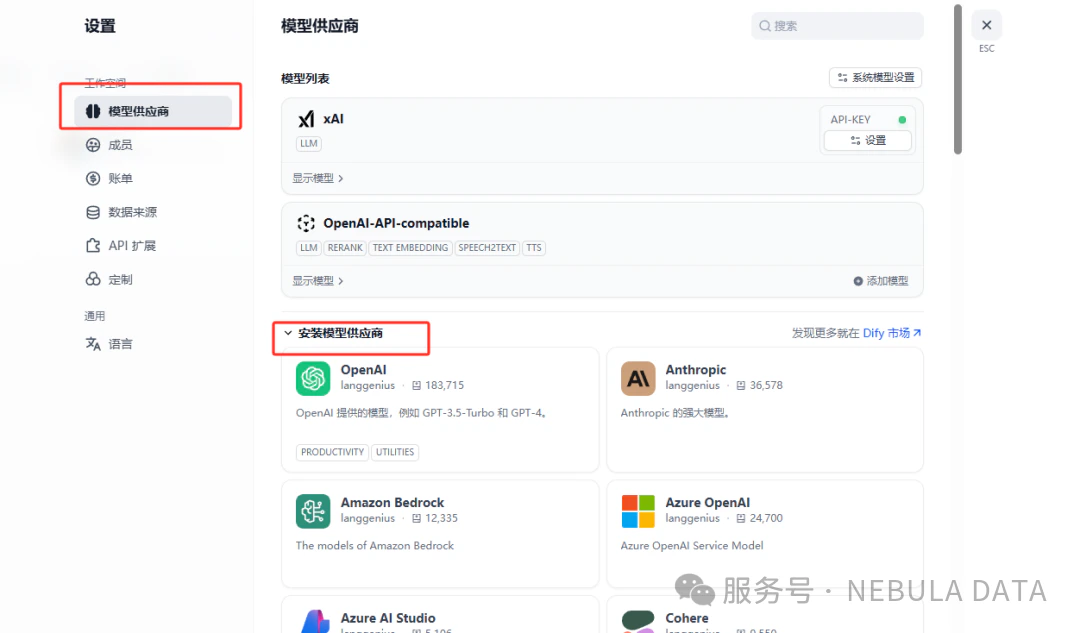
1. Scroll down the page and find the "OpenAI-API-compatible" plugin
2. This plugin is super useful! It supports chat, text embedding, speech-to-text, and many other features, enabling seamless integration of third-party large models with Dify. Click "Install"
### Step 3: Install Compatible Plugin
1. Scroll down the page and find the "OpenAI-API-compatible" plugin
2. This plugin is super useful! It supports chat, text embedding, speech-to-text, and many other features, enabling seamless integration of third-party large models with Dify. Click "Install"
 ### Step 4: Configure Key Parameters (Important!)
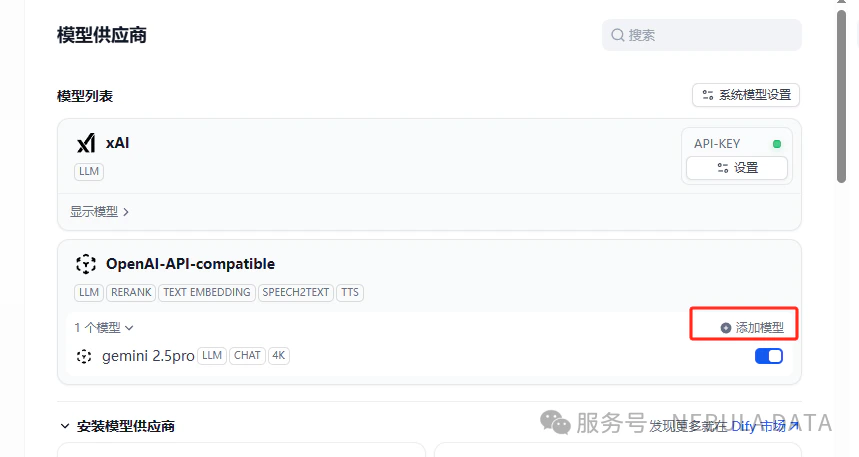
After installation, click "Add Model". You need to obtain 3 core parameters from [https://leapx-hub.com](https://leapx-hub.com), step by step:
### Step 4: Configure Key Parameters (Important!)
After installation, click "Add Model". You need to obtain 3 core parameters from [https://leapx-hub.com](https://leapx-hub.com), step by step:
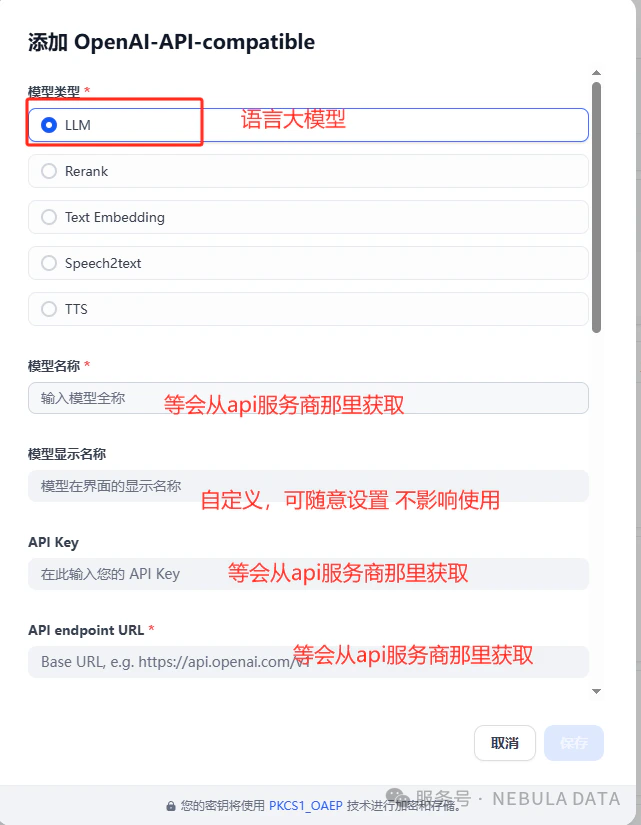 #### 1. Get API Key (📝 Just copy and paste)
* Open [https://leapx-hub.com](https://leapx-hub.com), click "Token" in the top navigation
* Copy the generated "Token" from the page and paste it into the "API Key" field in Dify parameters
#### 2. Get Model Name (⚠️ Both fields must match)
* Go back to [https://leapx-hub.com](https://leapx-hub.com) and enter the "Account" page
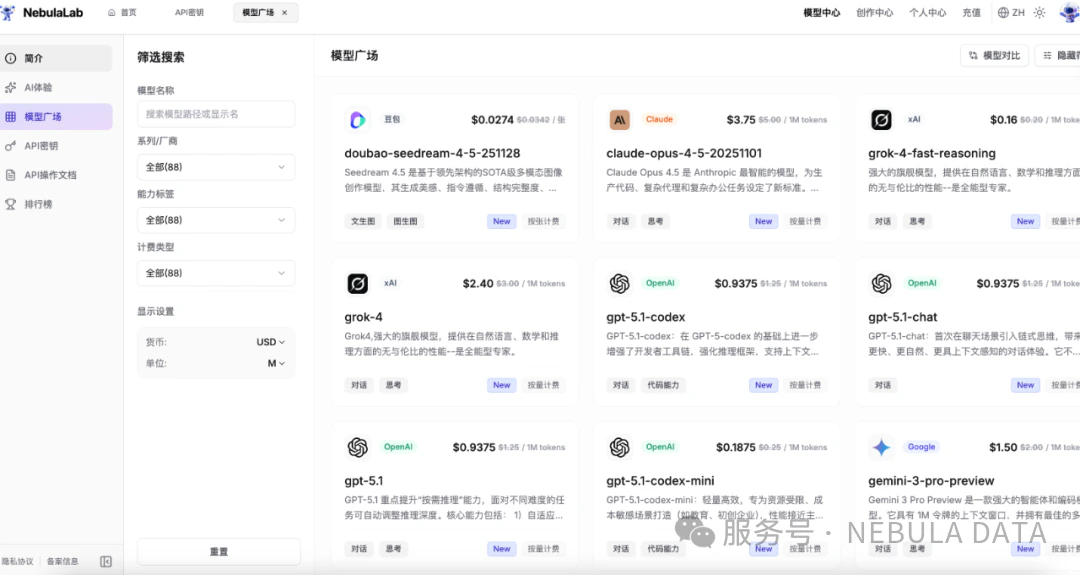
* In the blue "Model List" at the bottom of the page, select the model you need (such as Gemini, GPT series), and click to copy the name
* Paste the copied name into both "Model Name" and "Model Name in API endpoint" fields in Dify (don't make mistakes!)
#### 3. Fill in API Address (Copy directly!)
In Dify's "API endpoint" field, enter:
```
https://api.leapx-hub.com/v1
```
#### 4. Save Configuration
After filling in all parameters, click "Save" — Done! The third-party model is successfully connected to Dify~
## Testing Results and Cost Comparison
### Testing Steps
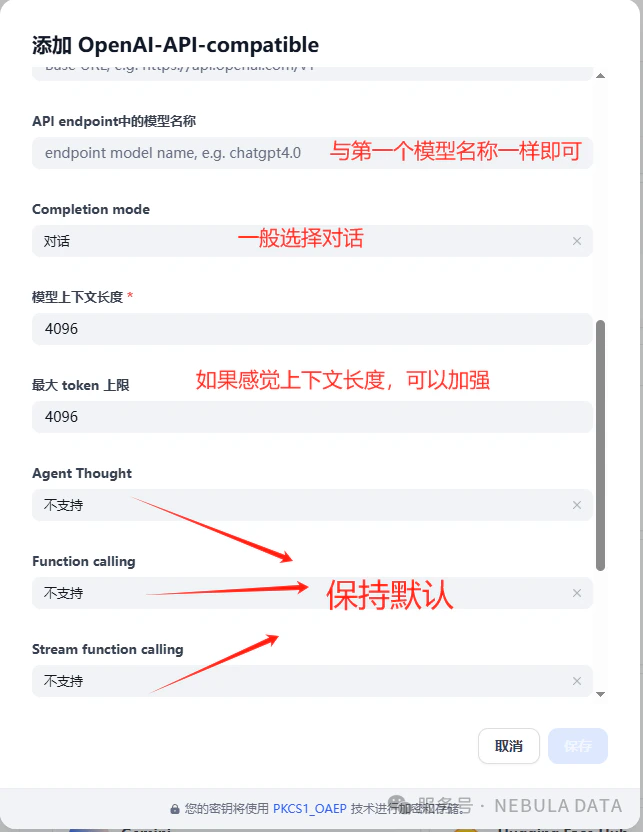
1. Open the workflow task you created in Dify
2. Replace the original model with the newly integrated third-party model
3. Click "Start Run" and wait for the execution results
Follow these steps, and you can complete the low-cost large model integration in just a few minutes!
#### 1. Get API Key (📝 Just copy and paste)
* Open [https://leapx-hub.com](https://leapx-hub.com), click "Token" in the top navigation
* Copy the generated "Token" from the page and paste it into the "API Key" field in Dify parameters
#### 2. Get Model Name (⚠️ Both fields must match)
* Go back to [https://leapx-hub.com](https://leapx-hub.com) and enter the "Account" page
* In the blue "Model List" at the bottom of the page, select the model you need (such as Gemini, GPT series), and click to copy the name
* Paste the copied name into both "Model Name" and "Model Name in API endpoint" fields in Dify (don't make mistakes!)
#### 3. Fill in API Address (Copy directly!)
In Dify's "API endpoint" field, enter:
```
https://api.leapx-hub.com/v1
```
#### 4. Save Configuration
After filling in all parameters, click "Save" — Done! The third-party model is successfully connected to Dify~
## Testing Results and Cost Comparison
### Testing Steps
1. Open the workflow task you created in Dify
2. Replace the original model with the newly integrated third-party model
3. Click "Start Run" and wait for the execution results
Follow these steps, and you can complete the low-cost large model integration in just a few minutes!
 ### Surprising Results
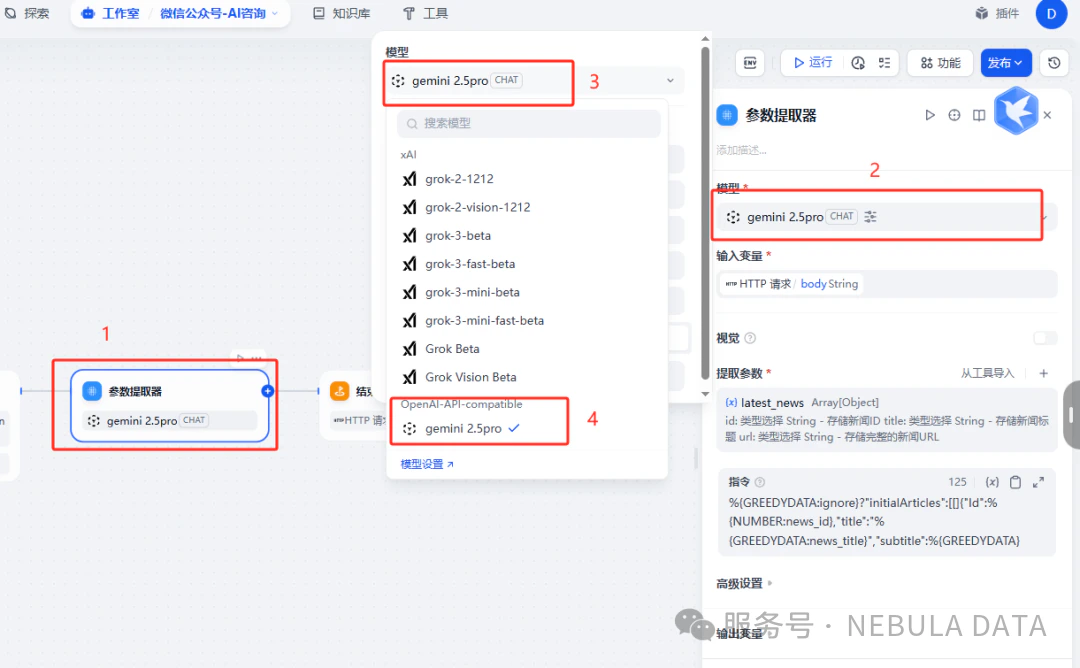
✅ **Success!** The task executed smoothly with response speed comparable to official services
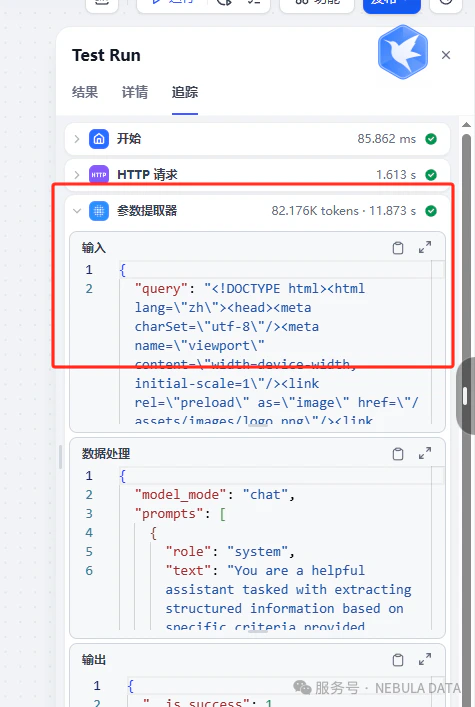
💰 **Cost Savings!** Check the [https://leapx-hub.com](https://leapx-hub.com) backend: Using Gemini's latest model, consuming 80,000+ tokens, cost only 0.1 yuan! (Compared to official prices, saving over 80% — great for high-frequency use!)
### Surprising Results
✅ **Success!** The task executed smoothly with response speed comparable to official services
💰 **Cost Savings!** Check the [https://leapx-hub.com](https://leapx-hub.com) backend: Using Gemini's latest model, consuming 80,000+ tokens, cost only 0.1 yuan! (Compared to official prices, saving over 80% — great for high-frequency use!)
 ## Advantages Summary
* 💰 **Cost Advantage**: Price is only 1/5 or even lower than official prices
* ⚡ **Stable Performance**: Response speed is comparable to official services
* 🔧 **Easy Integration**: Easy access through OpenAI-API-compatible plugin
* 🌟 **Complete Features**: Supports chat, text embedding, speech-to-text, and many other features
* 📊 **Transparent Billing**: Real-time viewing of usage and costs in the backend
- Ensure that "Model Name" and "Model Name in API endpoint" fields are consistent
- API address should be: `https://api.leapx-hub.com/v1`
- It's recommended to verify the configuration in a test environment first, then use it in production after confirmation
## Advantages Summary
* 💰 **Cost Advantage**: Price is only 1/5 or even lower than official prices
* ⚡ **Stable Performance**: Response speed is comparable to official services
* 🔧 **Easy Integration**: Easy access through OpenAI-API-compatible plugin
* 🌟 **Complete Features**: Supports chat, text embedding, speech-to-text, and many other features
* 📊 **Transparent Billing**: Real-time viewing of usage and costs in the backend
- Ensure that "Model Name" and "Model Name in API endpoint" fields are consistent
- API address should be: `https://api.leapx-hub.com/v1`
- It's recommended to verify the configuration in a test environment first, then use it in production after confirmation