
1. Overview
OpenCode is an open-source AI coding assistant supporting 75+ models and local deployment. With LeapX API, you can use mainstream and latest models (e.g. GPT, Claude, Gemini) in OpenCode and configure custom providers and models. Download: https://opencode.ai/2. Quick setup (LeapX API)
2.1 Get an API key
Create and copy your API key from the LeapX API console.2.2 Configure a custom provider in OpenCode
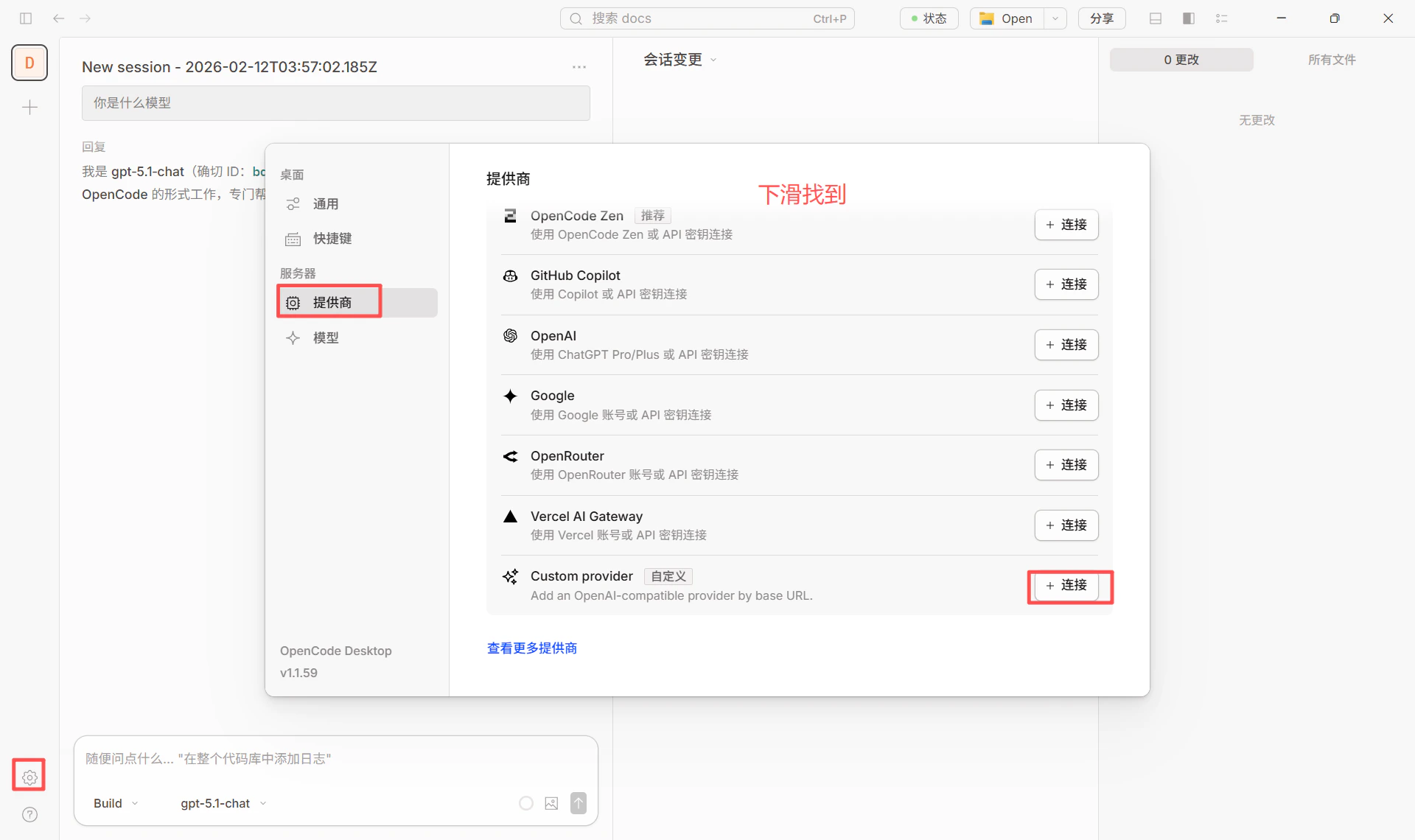
- Open OpenCode and go to Server / Provider settings.
- Add a custom provider (Configure an OpenAI compatible provider).
- Fill in:
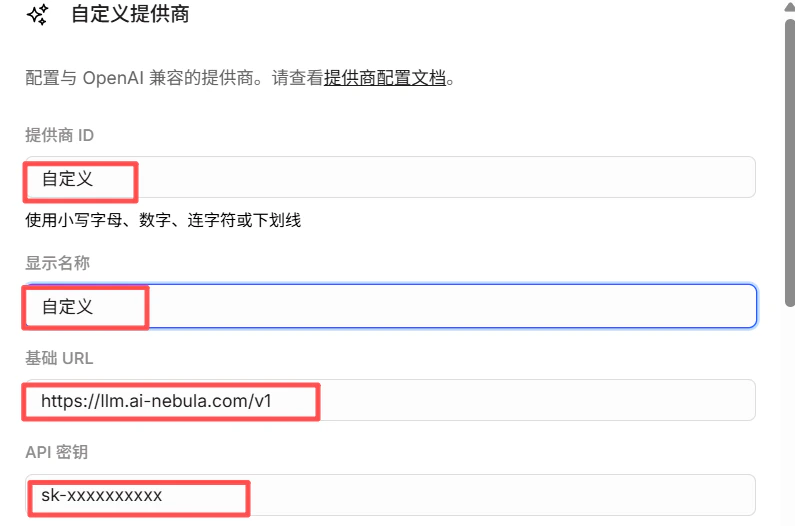
- Provider ID: e.g.
leapx(lowercase, digits, hyphens or underscores) - Display name: e.g.
LeapX API - Base URL:
https://api.leapx-hub.com/v1(must end with/v1) - API key: paste your LeapX API key
- Provider ID: e.g.
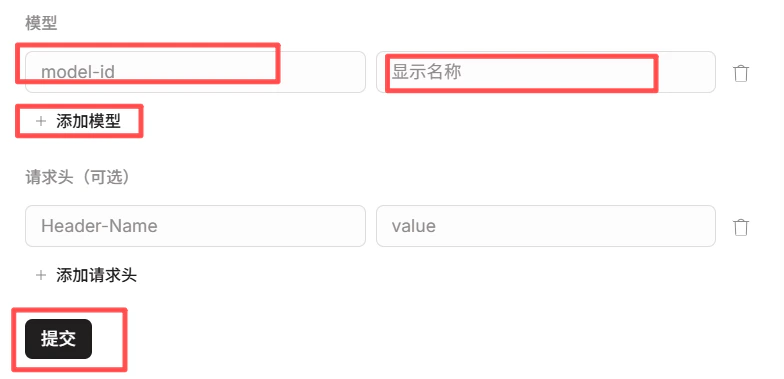
- Under Models, add the models you need (e.g.
gpt-4o,claude-sonnet-4-20250514). Model IDs must match the LeapX model list. - After saving, use providerID/modelID in the model selector (e.g.
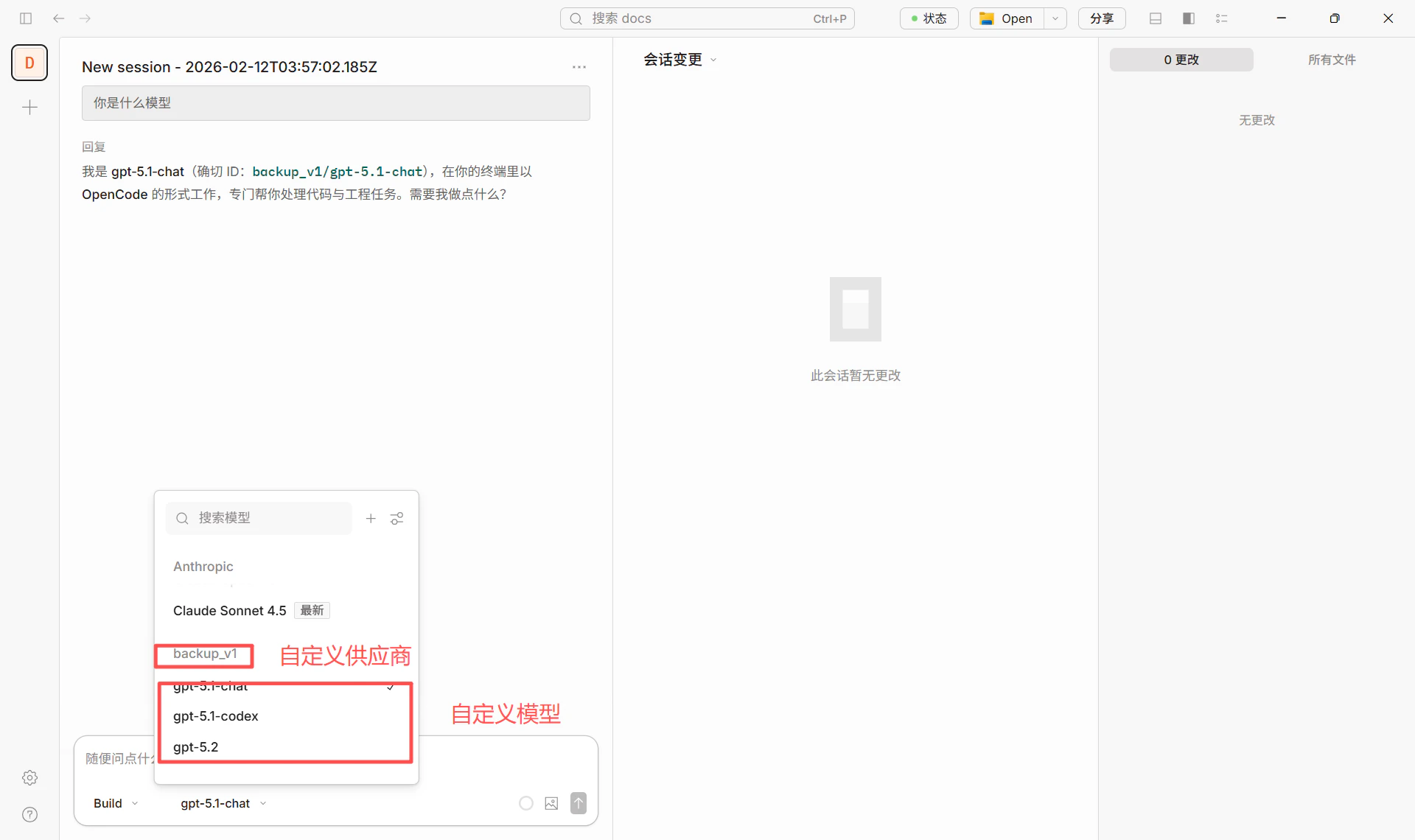
leapx/gpt-4o).
- Base URL:
https://api.leapx-hub.com/v1 - API key: from LeapX console (e.g.
sk-xxxxxxxxxxxxx) - Models: choose from LeapX model list and enter the model ID
2.3 Switching models
In the chat or settings, select the configured provider and model (e.g.leapx/gpt-4o) to switch.
3. Some models require the Responses API (important)
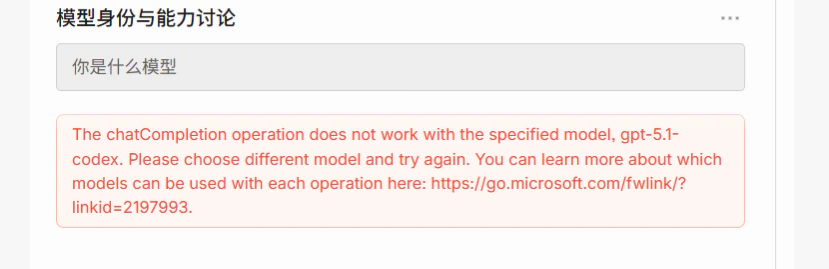
Some models use a different API than standard Chat Completions and require the Responses API. If you see an error like this when using such a model in OpenCode: Some Azure / OpenAI models only support the Responses API and do not support the traditional Chat Completions endpoint. Example error:The chatCompletion operation does not work with the specified model, gpt-5.1-codex. Please choose different model and try again.The screenshot below shows how this error appears in the UI:
3.1 Models that require the Responses API (typical)
For the full and up-to-date list, see Azure / vendor documentation, e.g.:
- Azure OpenAI Responses API
- Link from the error message: Which models work with each operation
3.2 How to configure in OpenCode (recommended: add parameter in config)
You can make OpenCode use the Responses API for a given model by adding theapiCompatibility parameter for that model in the config file. No code changes are required.
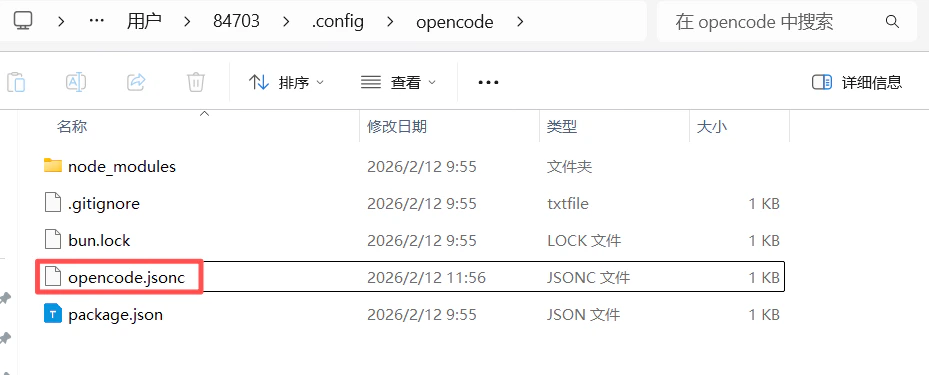
1. Locate the config file
- Windows:
C:\Users\<username>\.config\opencode\opencode.jsonc - macOS / Linux:
~/.config/opencode/opencode.jsonc
You can also useopencode.jsonoropencode.jsoncin your project directory.
"apiCompatibility": "responses" for models that need the Responses API (e.g. gpt-5.1-codex). Example:
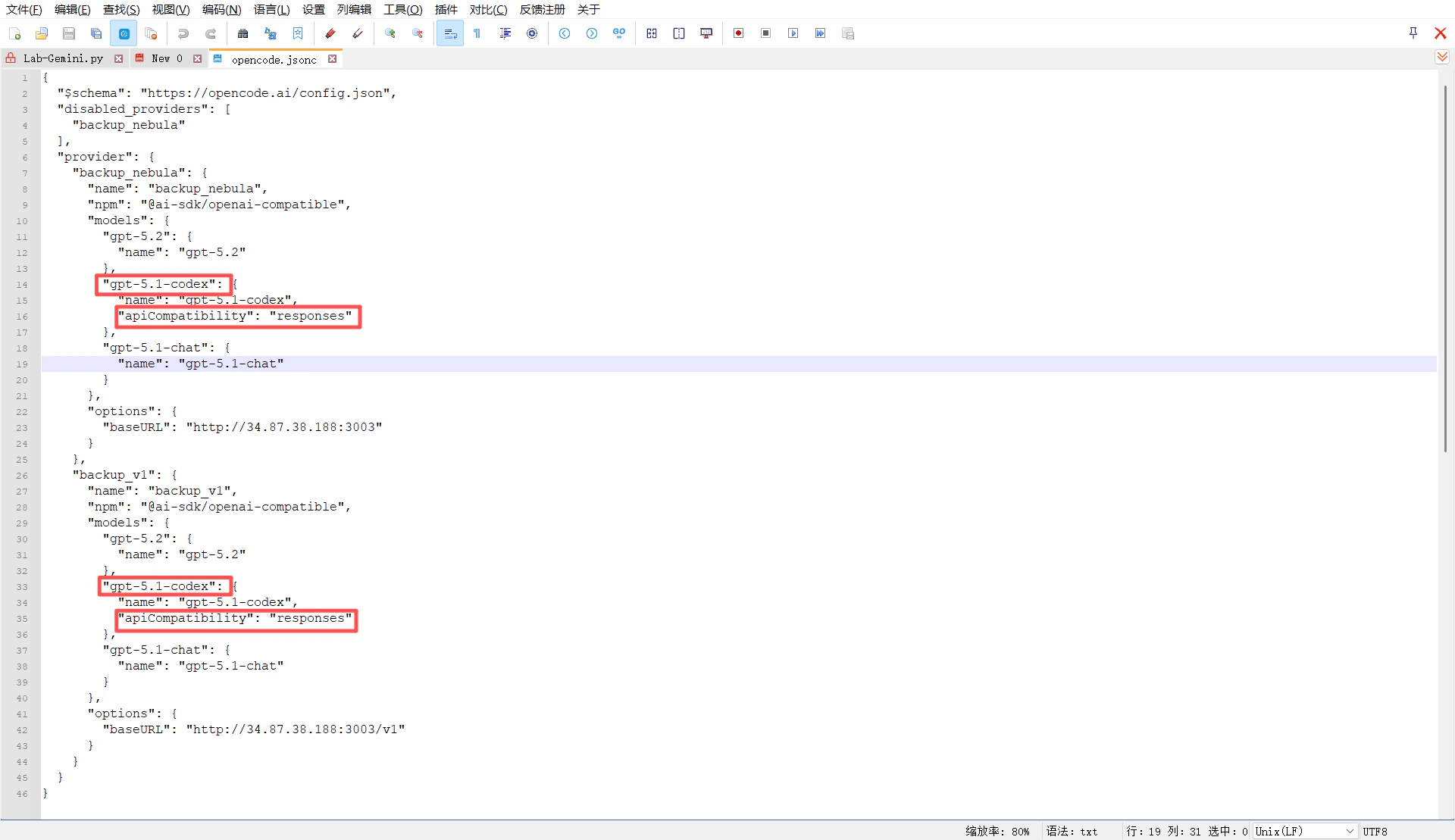
gpt-5.1-codex in OpenCode (e.g. backup_leapx/gpt-5.1-codex), requests will be sent to that baseURL in Responses API format.
3. Success example
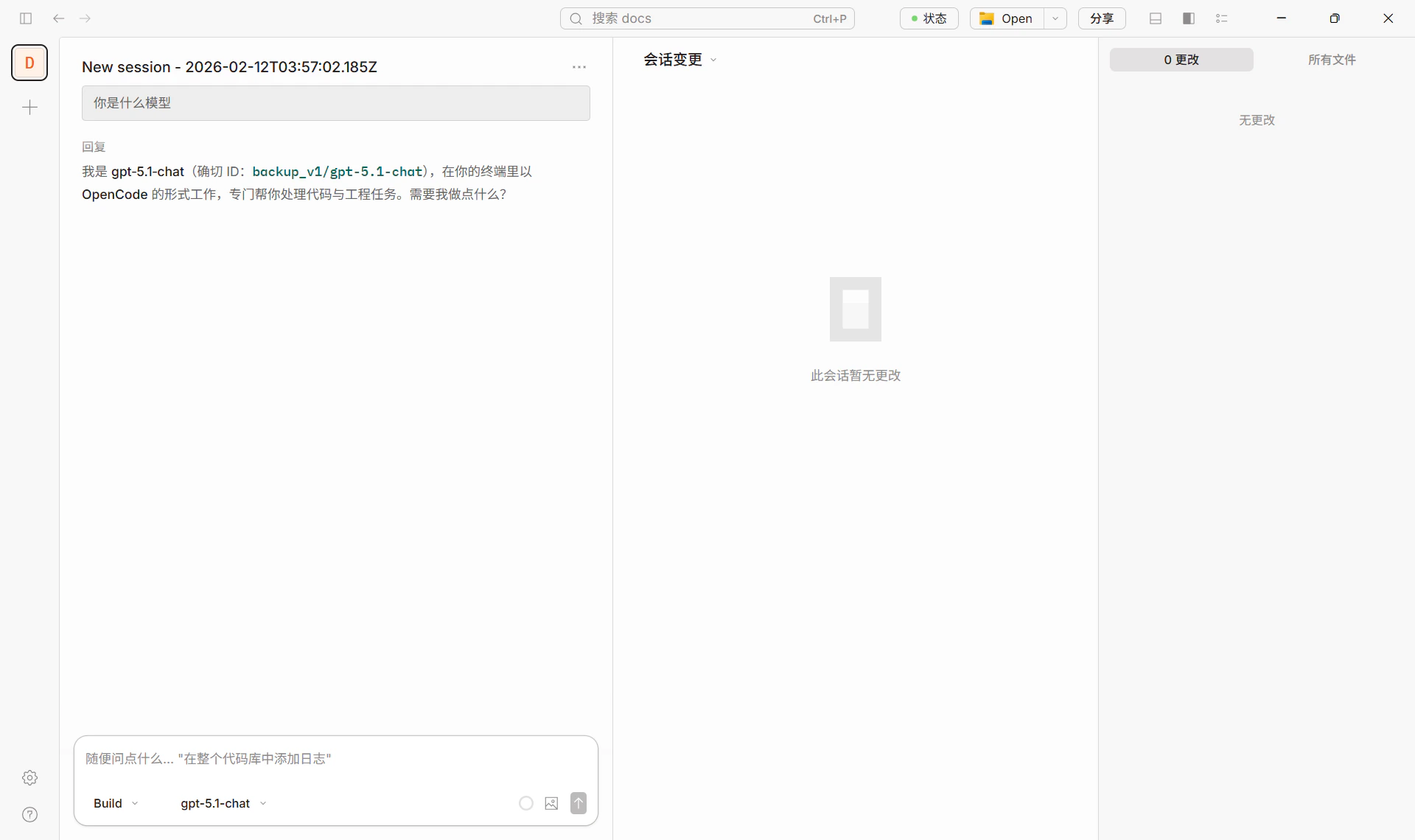
The screenshot below shows a normal chat in OpenCode using a correctly configured model (e.g. backup_v1/gpt-5.1-chat).
3.3 Summary
4. Recommended models (via LeapX)
See the LeapX model list for available models and IDs.
Success example
The screenshot below shows a normal chat in OpenCode using LeapX API.5. References
- OpenCode site and download: https://opencode.ai/
- OpenCode config and models: Models, Providers